Creating a home office space that is both comfortable and productive is essential in today’s work environment. Whether you spend all day working from home or just occasionally need a dedicated spot, a well-designed workspace can make a huge difference in your efficiency and wellbeing. This article offers helpful tips to help you create a home office that supports focus, comfort, and creativity.
Choosing the Right Location
Selecting the ideal spot for your home office is the first step. Here are some factors to consider:
– Quiet and Low Traffic: Choose a room or corner with minimal distractions. Avoid areas near noisy appliances or busy family zones.
– Natural Light: Position your desk near a window if possible. Natural light helps reduce eye strain and boosts mood.
– Space Availability: Ensure there’s enough room for your desk, chair, and any equipment you need without feeling cramped.
– Privacy: If part of your work involves calls or video meetings, consider a space where you can close the door.
Investing in Ergonomic Furniture
Comfort is key to preventing fatigue and maintaining productivity. Consider these points:
– Ergonomic Chair: Choose a chair that supports your lower back and allows you to sit with your feet flat on the floor.
– Adjustable Desk: A desk with adjustable height is ideal—allowing you to alternate between sitting and standing.
– Monitor Position: Your computer screen should be at eye level to avoid neck strain.
– Keyboard and Mouse: Keep them at a comfortable height to reduce wrist strain.
Organising Your Desk for Efficiency
A tidy and organised workspace can increase focus. Try these organisation tips:
– Declutter: Keep only essential items on your desk to avoid distractions.
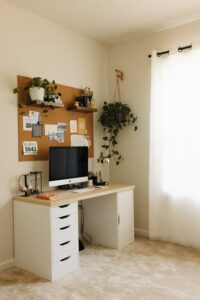
– Storage Solutions: Use shelves, drawers, or organisers to keep supplies neatly stored.
– Cable Management: Tidy cables using clips or sleeves to avoid a tangled mess.
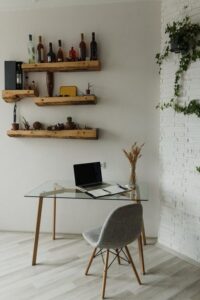
– Personal Touches: A small plant, photo, or artwork can make the space inviting without overcrowding it.
Managing Lighting and Temperature
Proper lighting and temperature contribute greatly to comfort:
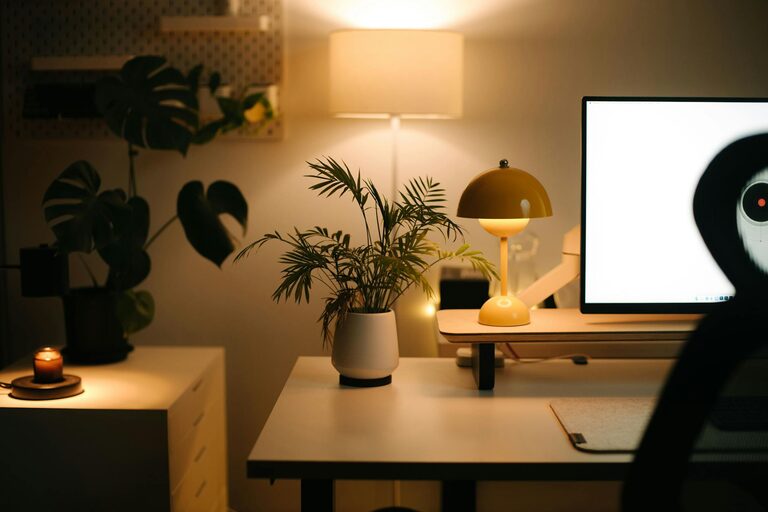
– Layered Lighting: Combine natural light with ambient and task lighting to reduce eye strain.
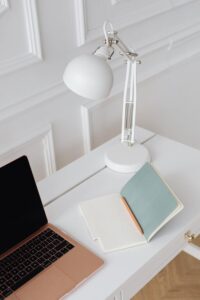
– Adjustable Lamps: Desk lamps with adjustable brightness help when working in the evening or on darker days.
– Temperature Control: Ensure the room temperature is comfortable—not too hot or cold—to maintain concentration.
Minimising Distractions
Distractions can disrupt your workflow. Here’s how to keep them to a minimum:
– Noise Management: Use noise-cancelling headphones or white noise machines if you cannot eliminate background noise.
– Set Boundaries: Communicate your working hours with family or housemates.
– Digital Focus: Turn off unnecessary notifications and use productivity apps to stay on task.
Incorporating Effective Technology
Dependable technology can enhance productivity:
– Reliable Internet: Ensure your connection is fast and stable for video calls and downloads.
– Quality Equipment: Invest in a good microphone, webcam, and headset for clear communication.
– Backup Solutions: Use cloud storage or external drives to keep your work safe.
Encouraging Movement and Breaks
Sitting for long periods can affect health and focus. Incorporate movement into your day:
– Regular Breaks: Use techniques like the Pomodoro timer—work for 25 minutes, then take a 5-minute break.
– Stretching: Stand up and stretch or walk around every hour.
– Standing Desk: Switching between sitting and standing can improve circulation.
Adding Personal Comfort Elements
Make your workspace comfortable and enjoyable:
– Temperature Controls: A small fan or heater can help you adjust the temperature precisely.
– Air Quality: Use a plant or air purifier to improve the air.
– Refreshments: Keep water and healthy snacks nearby.
Final Thoughts
Designing a home office that is both comfortable and productive need not be complicated. Focusing on a quiet location, ergonomic furniture, good lighting, and minimal distractions can significantly improve your work experience. Remember to personalise your space to make it inviting, and ensure your technology supports your needs. With these tips, your home office will become a place where you can work effectively and comfortably every day.