Working from home has become a common part of everyday life for many people. Having a well-designed workspace at home can make a big difference in maintaining focus, boosting comfort, and increasing overall productivity. Whether you’re working remotely, studying, or managing personal projects, a thoughtfully arranged home workspace helps create clear boundaries and positive habits. Here are some practical tips to help you create an effective and comfortable workspace at home.
Choose the Right Location
Selecting the best spot for your home workspace is the first crucial step.
Quiet and Low-Traffic Area
Aim for a space that is away from daily distractions like TV, household chores, or heavy foot traffic. A quieter environment will improve your concentration and reduce interruptions.
Good Natural Light
Position your desk near a window if possible. Natural light helps improve mood, reduces eye strain, and creates a more inviting work area.
Space to Move
Make sure there’s enough room for your desk, chair, and any equipment you need without feeling cramped. You want room for stretching or standing during breaks.
Invest in Comfortable and Ergonomic Furniture
Comfort plays a big role in how well you focus during long hours of work.
Ergonomic Chair
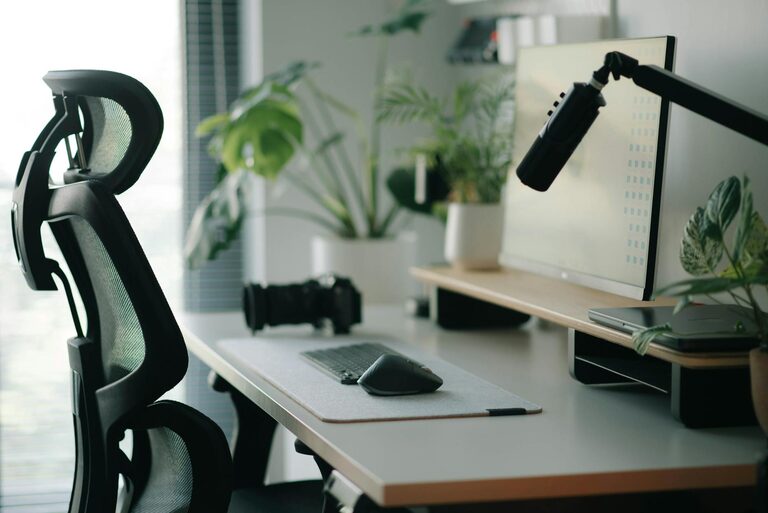
Choose a chair that supports natural posture, with adjustable height and good lumbar support. This helps prevent back and neck pain.
Suitable Desk
Select a desk at the right height to keep your forearms parallel to the floor when typing. A clutter-free surface encourages better organisation and less distraction.
Optional Accessories
Consider adding a footrest, standing desk converter, or adjustable monitor stands to optimise your comfort and minimise strain.
Organise and Declutter
An organised workspace encourages a clear, focused mind.
Storage Solutions
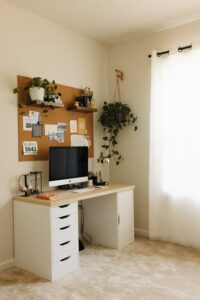
Use shelves, drawers, or containers to keep documents and supplies tidy. Label boxes or folders to find things quickly.
Minimal Decorations
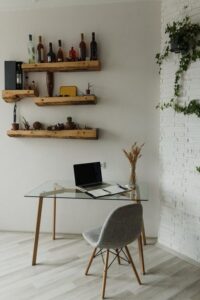
Keep décor simple and meaningful rather than overwhelming. Plants, for instance, can add a touch of nature and improve air quality without cluttering the space.
Cable Management
Use clips or cable organisers to keep wires neat. Untangling cables can be distracting and time-consuming.
Optimise Lighting
Proper lighting reduces eye strain and keeps you alert.
Combine Natural and Artificial Light
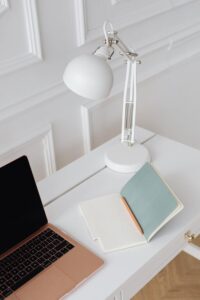
Rely on daylight when you can, but supplement with desk lamps that provide bright, warm light. Avoid harsh fluorescent lighting or glaring screens.
Position of Lights
Place lamps so that light doesn’t reflect on your screen or create shadows while writing.
Minimise Distractions
Limiting distractions is essential to maintain focus and productivity.
Set Boundaries
Communicate your working hours to family or housemates to reduce interruptions.
Use Headphones
If you live in a noisy environment, noise-cancelling headphones or calming background music can help.
Turn Off Notifications
Keep your phone on silent or use “Do Not Disturb” mode to avoid unnecessary alerts during focus periods.
Personalise Your Space
A workspace that feels welcoming encourages you to spend time in it.
Add Personal Touches
Display photos, inspirational quotes, or artwork that motivate you without creating clutter.
Use Colour Wisely
Choose calming colours for walls or décor items, such as soft blues or greens, known to aid concentration.
Develop a Daily Routine
Good habits support sustained productivity.
Regular Breaks
Use techniques like the Pomodoro method (25 minutes of work followed by a 5-minute break) to maintain energy and focus.
Clear Start and End Times
Signal the beginning and end of your workday with small rituals such as tidying your desk or making a cup of tea.
Review and Adjust
Periodically assess your workspace and habits. Don’t hesitate to make changes if something isn’t working well.
Keep Technology Updated and Organised
Reliable technology is key to an efficient workspace.
Equipment Maintenance
Regularly clean your keyboard, mouse, and screen to avoid distractions from dirt or malfunction.
Backup and Security
Use cloud storage or external drives to protect important files.
Software Tools
Utilise apps for task management, calendar organisation, or focus enhancement to stay on track.
Ensure Good Ventilation and Temperature
Comfort is influenced by air quality and temperature.
Proper Airflow
Keep windows open when possible or use a fan to circulate fresh air.
Comfortable Temperature
Maintain a consistent temperature that suits your preference, avoiding extremes of hot or cold.
In Summary
Creating a productive home workspace is about combining comfort, organisation, and focus-friendly elements. Start by choosing a quiet, well-lit spot, invest in ergonomically designed furniture, and keep your space tidy and personalised. Minimising distractions, establishing routines, and maintaining good ventilation further support your work. By paying attention to these factors, you can develop a home workspace that not only boosts your productivity but also improves your overall well-being while working from home.